On May 13, 2026, Amazon retired the standalone Rufus chatbot and replaced it with Alexa for Shopping, an assistant that sits directly in the main search bar, generates AI overviews above search results, and runs side-by-side product comparisons inside the results page itself. It’s now the default for every signed-in U.S. customer on the Amazon Shopping app and website, with no Prime membership or Echo device required.
Rufus was a feature people had to go looking for, and it still reached over 300 million customers in 2025 despite living in a side window most shoppers never opened. Alexa for Shopping doesn’t have that adoption problem. It’s already in front of everyone, whether they asked for it or not.
Let’s uncover how Amazon’s AI assistant works and what it needs to see before recommending any of your products.
What Is Alexa for Shopping?
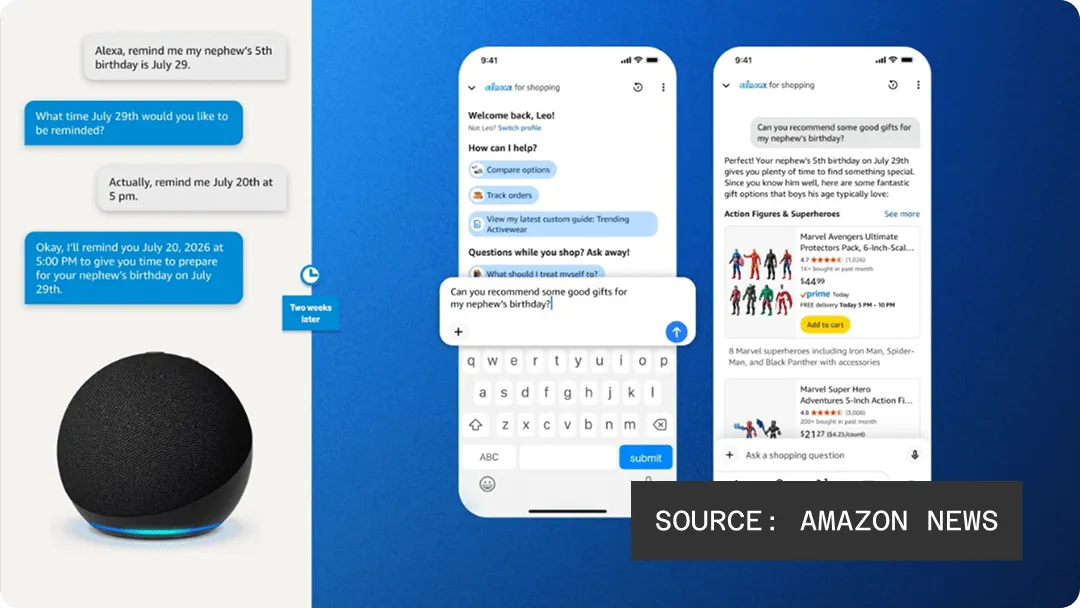
Alexa for Shopping is Amazon’s built-in AI shopping assistant that answers product questions, builds comparisons, tracks prices, and can complete purchases on a shopper’s behalf without them leaving Amazon’s own ecosystem. According to Amazon’s announcement, Alexa for Shopping merges Rufus and Alexa+, drawing on each customer’s shopping history, browsing behavior, and prior conversations across Alexa-enabled devices.
When Amazon transitioned from Rufus to an expanded Alexa, a few things carried over, while some features didn’t. The most obvious is the name, but the assistant itself moved from a separate chat window inside the app to its primary search interface users are familiar with and the most valuable real estate Amazon has. The underlying product knowledge, recommendation logic, and retrieval mechanics are largely the same, just with a bigger stage.
For sellers, this is a huge asset. An assistant living in a side window is optional traffic. An assistant living in the search bar itself is the default experience for hundreds of millions of shoppers, which means listing decisions that used to only affect keyword ranking now also affect whether an AI assistant recommends you at all.
How Does Alexa for Shopping Work?
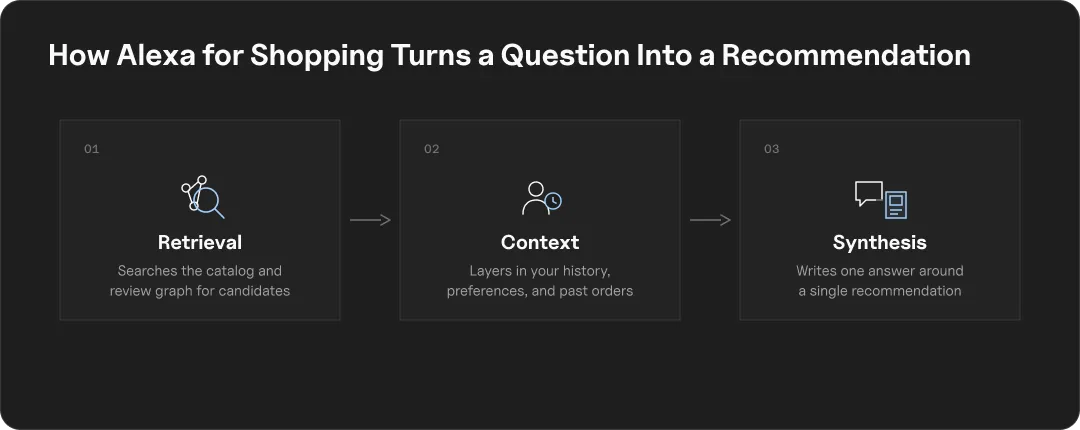
Alexa for Shopping runs on COSMO, Amazon’s semantic retrieval engine, paired with Amazon’s product graph and a shopper’s own purchase and browsing history. Instead of matching a query to keyword strings the way traditional Amazon search does, it interprets what a shopper is actually trying to accomplish and pulls from the full catalog to answer that need directly.
The grounding mechanics work in three layers, similar to most AI shopping tools:
- Retrieval: The assistant reads a shopper’s question against Amazon’s product graph, a structured map of every listing, attribute, and relationship between them, rather than crawling the open web the way ChatGPT or Perplexity would.
- Context: Alexa for Shopping factors in the individual shopper’s history, meaning two people asking the identical question can get different recommendations based on what they’ve bought, browsed, or asked before.
- Synthesis: Rather than returning a list of matching listings, the assistant generates a direct answer or short comparison, deciding on the shopper’s behalf which products are worth surfacing at all.
Traditional Amazon search can return a listing on relevance and let the shopper filter from there. Alexa for Shopping filters first. If your product doesn’t make the shortlist the assistant decides to generate, ranking well in a keyword search elsewhere on the page doesn’t matter, because the shopper’s already been handed an answer.
This is also where Amazon’s closed-loop design becomes a real distinction worth understanding, addressed next: unlike ChatGPT or Google’s shopping tools, Alexa for Shopping never leaves Amazon’s own data to make that call.
How Is Alexa for Shopping Different From Amazon’s Regular Search (A9/A10)?
The A9 and A10 algorithms and Alexa for Shopping run in parallel, not in sequence, and understanding how they differ is key for amazon sellers.
| A9/A10 | Alexa for Shopping | |
| What it does | Matches keywords to your listing | Evaluates if your listing answers the shopper’s question |
| Ranks on | Conversion rate, sales velocity, CTR, reviews | Clarity, specificity, and completeness of content |
| Logic | Query match frequency | Semantic match to shopper intent |
Example: A shopper asks, “what’s the best wireless earphone for running in the rain?” That question contains four signals: category, form factor, use case, and a functional requirement.
A9/A10 can still surface your listing under “wireless earphones.” Alexa for Shopping won’t recommend it unless your content actually addresses water resistance and running use cases, regardless of how well you rank on the keyword.
This mean listings are more than just keyword containers. They’re now the primary source document the AI evaluates for relevance, completeness, and trustworthiness before deciding whether to recommend the product.
A9/A10 is what gets you into the building, but Alexa for Shopping decides whether you’re worth introducing to the shopper standing in it.
How to Optimize a Listing for Alexa for Shopping
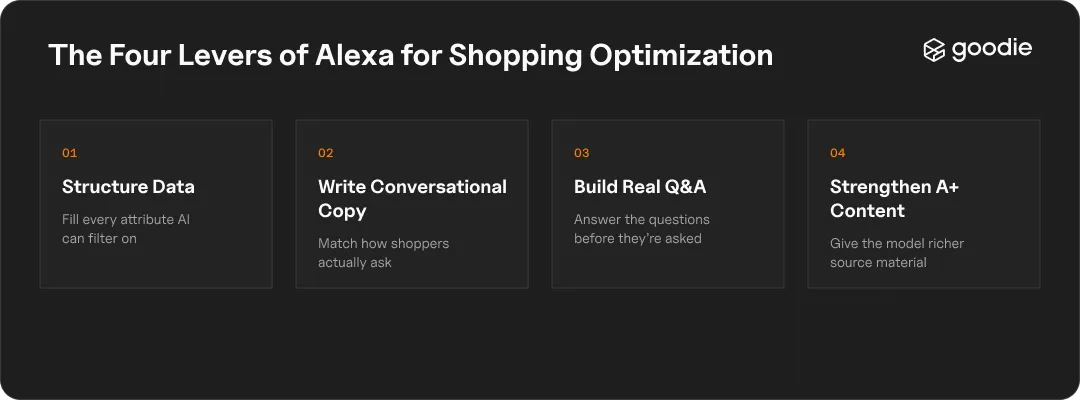
1. Structure Your Product Data for AI Readability
- Fill out every structured attribute field, materials, dimensions, compatibility, use case, not just the ones required for listing approval.
- Include natural-language phrasing shoppers would actually ask (“does it work with Alexa?”) alongside standard spec labels.
- Keep backend search terms comprehensive and current. Alexa for Shopping reads these fields as part of its completeness check, not just as hidden keyword real estate.
2. Write Conversational, Answer-Ready Copy
- Lead with the problem the product solves, not the feature list.
- Address specific use cases and constraints directly in your bullets and description, the same four-part structure (category, form factor, use case, requirement) covered above.
- Avoid generic, interchangeable copy. Vague language gives the assistant nothing concrete to match against a specific question.
3. Build Q&A Around Real Shopper Questions
- Populate your Q&A section with the actual questions shoppers ask in your category, not filler.
- This does double duty: it’s a direct content source for Alexa for Shopping and a trust signal for human shoppers reading the listing.
4. Strengthen A+ Content, With a Caveat
- A+ Content likely isn’t parsed directly by Alexa for Shopping’s retrieval layer the way titles and bullets are.
- It still matters indirectly: stronger A+ Content lifts conversion rate, and conversion rate feeds the ranking signals below. Don’t skip it, just don’t expect it to be a direct AI-visibility lever.
What Ranking Factors Does Alexa for Shopping Use?
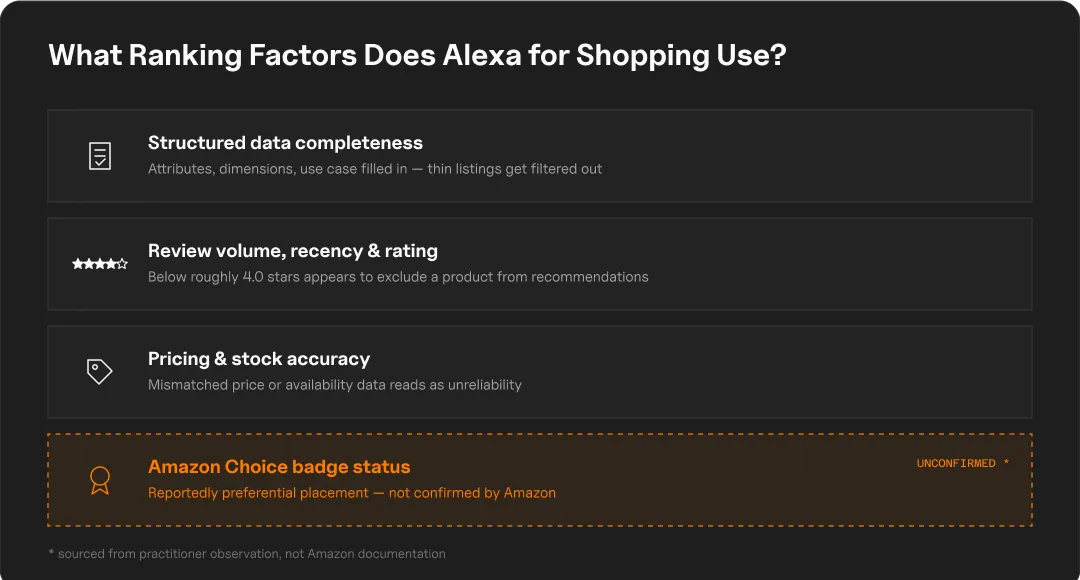
Four signals show up consistently across how Alexa for Shopping evaluates listings:
- Structured data completeness. Thin listings, short titles, vague bullets, missing attributes, get filtered out of the recommendation pool even when they rank fine on keywords.
- Review volume, recency, and rating. Products below a roughly 4.0-star threshold appear to get excluded from recommendations outright, making review health a discovery lever, not just a trust signal.
- Pricing and stock accuracy. Stale or mismatched data between your listing and reality reads as unreliability to the system.
- Amazon Choice badge status. Badge holders reportedly get preferential placement in voice and assistant-driven responses, though Amazon hasn’t published the exact mechanics.
The problem that sellers run into is that these signals aren’t visible from Seller Central the way keyword rank is. You can see your search position. You can’t easily see whether Alexa for Shopping is including or excluding you, or which specific signal is holding a listing back. That gap is exactly what Goodie’s Optimization Actions is built to close: it surfaces which specific signals are suppressing a product’s visibility, instead of leaving sellers to guess.
How Do You Know If Your Products Are Showing Up in Alexa for Shopping?
So if there isn’t an “Alexa for Shopping visibility” dashboard the way there is for keyword position, what are sellers to do? Well, there’s a few options:
The Manual Tracking Method
Open the Amazon app and ask Alexa for Shopping broad category questions the way a real shopper would, “what should I look for when buying a yoga mat,” not questions about your product by name. The responses show you exactly how the assistant is interpreting your category, your competitors, and where your own listings stand. Run the same query set periodically and compare results over time to spot whether your visibility is improving, stalling, or slipping to a competitor.
That method works, but it doesn’t scale. Checking a handful of ASINs by hand is manageable. Checking a full catalog against every relevant category question, on a recurring basis, across every product, isn’t something a person can realistically keep up with.
The Scalable Alternative: AI Visibility Monitoring
Manual tracking tells you what’s happening in your category right now. It doesn’t tell you what changed last week, whether a competitor’s listing update pulled a recommendation away from you, or which specific product data gap is costing you visibility across dozens of ASINs at once.
Goodie’s Agentic Commerce Suite runs continuous visibility checks across your full catalog instead of a handful of manually-run queries, and surfaces which specific product data or PDP signals are driving whether AI shopping assistants recommend you or skip you. Instead of periodically asking Alexa for Shopping the same questions and eyeballing the difference, you get an ongoing, catalog-wide view of exactly where you stand and what’s causing it.
For sellers managing more than a handful of products, this is the difference between reacting to a visibility problem after it’s already cost sales and catching it before it does.
Turn Alexa for Shopping Visibility Into a Measurable Channel
Amazon isn’t the only place this is happening. ChatGPT, Perplexity, and Google are all building their own AI shopping layers, each with different retrieval logic and different signals that matter. A brand can be well-optimized for Alexa for Shopping specifically and still be invisible on a platform running an entirely different set of rules.
That fragmentation is the real shift underneath the Rufus rename. Optimization used to mean one thing: rank well in one system. Now it means staying visible across several systems that don’t share data or ranking logic with each other.
The brands that treat this as measurable, not just something to optimize and hope for, are the ones who’ll be able to prove it’s working. Goodie’s Analytics & Attribution connects that visibility back to actual revenue impact, so “are we showing up in Alexa for Shopping” turns into “here’s what that visibility is worth.”
Track Your Product Visibility Across the AI Tools Your Customers Use
See how Goodie tracks visibility across every AI shopping surface your customers are actually using, including Amazon’s Alexa for Shopping.
Alexa for Shopping AI Visibility: FAQs
Amazon retired the standalone Rufus chatbot and replaced it with Alexa for Shopping. The name changed, and the assistant moved from a side chat window into the main search bar, but the underlying product knowledge and recommendation logic carried over rather than disappearing.
No. It’s the default for every signed-in U.S. customer on the Amazon Shopping app and website, with no Prime membership or Echo device required.
Amazon hasn’t confirmed a paid placement mechanism the way sponsored product ads work. In fact, the opposite tension has been reported: sellers running sponsored product campaigns for top search positions may find those positions now competing directly with the assistant’s own generated answer.
Largely, yes, though this is under-documented across the industry. Vendors and sellers have different content control, different attribute access, and different advertising structures, meaning a one-size-fits-all optimization approach doesn’t hold for both account types.
Results vary by what’s changed, but sellers adding well-crafted Q&A entries targeting common shopper questions have reported conversion lifts within 30 to 60 days of the update.